
OK: Social Network
VKLSocial
4.32.83K Reviews
- Version
- 26.5.28
- Installs
- 100.00M
- Age Rating
- Teen
Screenshots


Our Review of OK: Social Network
 Analysis by Appyee
I’ve always found it tiring when conversations, community posts, and videos are scattered across different social apps. OK: Social Network is built around bringing those kinds of connections together, with communities and groups at the center of how people find one another. That focus is more useful than it might sound: a group gives a conversation a shared topic, so it can be easier to join in than by sending a cold message or posting into a broad, fast-moving feed.
Why groups can change the way you connect
In my view, the most interesting idea here is not simply having another place to post. It is having a route into a community where people already gather around a shared interest or purpose. If I move to a new neighborhood, for example, a local group can be a more natural starting point for finding people than trying to build a new circle from individual friend requests. The same approach can work for a hobby, a family network, or a long-running group of friends.
That makes the app a social option with a different rhythm from services built mainly around short public updates or private, one-to-one messaging. A group can keep related conversations in one place, while the wider social features give those conversations room to lead to new connections. The trade-off is that the experience depends on finding communities that are active and relevant to you. A large selection does not automatically mean every group will be useful or welcoming.
Finding a community without turning it into a chore
I’d approach discovery with a specific interest in mind rather than browsing endlessly. Search for a topic you genuinely care about, look at how recent and relevant the group’s posts seem, and take a moment to understand its tone before joining the conversation. This small habit can save time and help you avoid treating every suggested community as a good fit.
There is also a useful distinction between joining a group and building a social circle. A group can be valuable even if you mostly read along at first; you can learn what people discuss before deciding whether to comment or share. If you are hoping to meet people, a thoughtful reply to a particular post is usually a more natural opening than sending generic messages to strangers. That is a practical way to make discovery feel less like collecting contacts and more like participating.
A realistic way it fits into a day
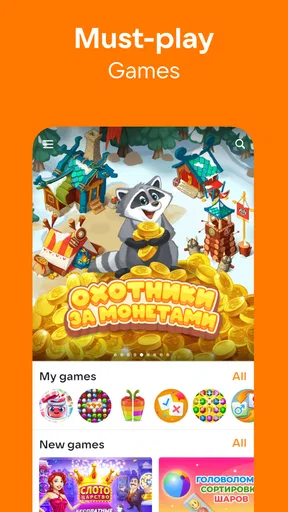
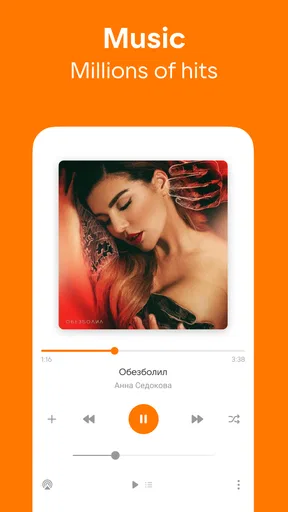
Picture checking in during a break after work. You might look at a community tied to a hobby, catch up with a relative’s post, then watch a video someone shared. The benefit is convenience: a few different kinds of social activity can sit within one app rather than requiring a switch between separate services. The risk is the same as with any broad social platform: an open-ended browse can eat into the time you meant to spend on one quick check.
I’d use groups with a purpose. If you are coordinating a recurring activity, following a shared interest, or keeping up with people who do not all use the same messaging service, a group can give everyone a common place to return to. For a time-sensitive plan, though, I would still choose a direct conversation and make sure the people involved actually check it. A community post is not a substitute for confirming an important detail with the people who need to see it.
What to consider before joining
Groups can bring useful conversation and fresh perspectives, but they also mean seeing posts from people you may not know well. I recommend being deliberate about what you share, especially when a post is meant for a small circle rather than a broad community. Before publishing, consider who might reasonably see it and whether the detail belongs in a group at all. That simple pause matters more than any assumption that a social app will automatically match your intended audience.
It is equally worth noticing whether a community gives you something back. If the posts are outdated, repetitive, or mostly unrelated to the reason you joined, mute the habit of checking it by leaving or simply spending less time there. A social network is only helpful when the connections and conversations suit you; membership by itself is not a measure of value.
Who is likely to get the most from it?
I think the strongest fit is someone who enjoys participating in interest-based communities and wants a social app that also covers everyday sharing and video. It can also make sense for people whose friends or relatives already use it, because the value of a social network rises when the people you care about are present. The app is free to download, although in-app purchases range from 49 cents to $17.99 per item, so I would check purchase prompts rather than assume every optional item is included.
On the other hand, if you want a stripped-back messenger, a professional networking tool, or a feed that only shows posts from a carefully chosen set of people, another service may suit you better. A broad social app asks you to make choices about which groups and conversations deserve your attention. It is less appealing if you do not want to manage that stream or if your preferred communities are already well served elsewhere.
Getting Started with OK
First things first, let’s talk about the setup. Downloading the app is a breeze, whether you're on Android or iOS. A quick hop onto the app store, a couple of taps, and you're in. The registration process is straightforward, requiring just the basics – email, username, and a secure password. Within minutes, I was ready to explore.
User Interface and Experience
One thing I noticed immediately is how clean and intuitive the interface is. The design is sleek, with everything neatly laid out. Navigation feels natural, and I didn’t find myself lost in a maze of menus. The developers clearly had user-friendliness in mind. The color scheme is pleasant, easy on the eyes, and gives off a refreshing vibe every time you log in.
Each feature is accessible with just a few taps, and there are no unnecessary distractions. It feels like the team behind the app understands the importance of simplicity and efficiency.
Features That Stand Out
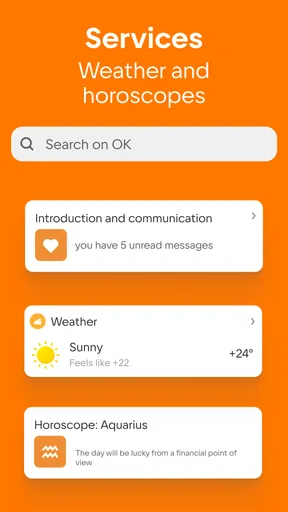
Now, let’s dive into what OK: Social Network offers. It’s packed with features that make staying connected a joy. Here are a few highlights that caught my attention:
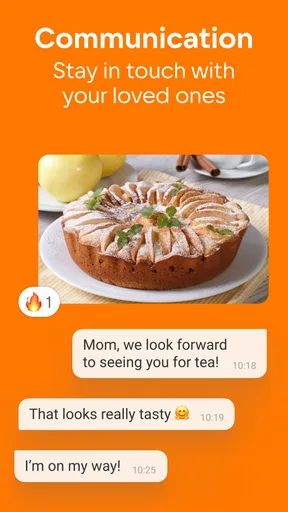
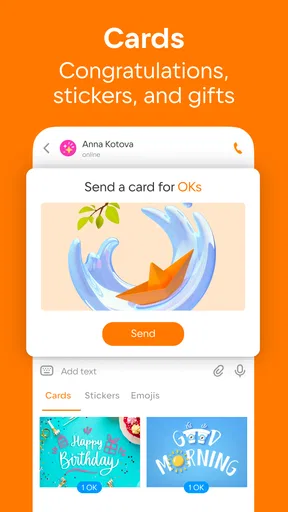
- Chat and Messaging: The messaging feature is robust, supporting everything from text to emojis and GIFs. The app even lets you create group chats effortlessly, so you can stay in touch with all your friends at once.
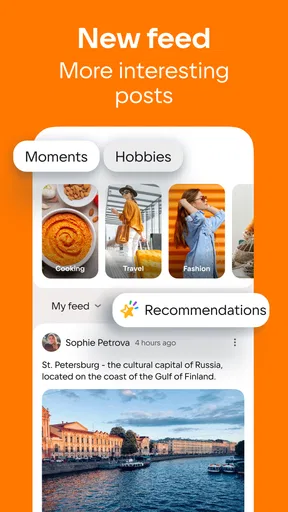
- News Feed: Keep up with friends and family through a personalized news feed. It’s algorithm-driven, meaning you’ll see more of what you love and less of what you don’t.
- Multimedia Sharing: Sharing photos and videos is a breeze. The upload speed is impressive, and there’s a wide array of editing tools to tweak your content before posting.
Privacy and Security
Privacy is a biggie for me, as I’m sure it is for many of you. OK: Social Network doesn’t disappoint in this area. They’ve implemented robust security measures to ensure your data is safe. You have control over your privacy settings, so you can decide who sees what. It’s reassuring to know that they take user privacy seriously.
Community and Interaction
What makes OK: Social Network truly special is the sense of community it fosters. The platform encourages interaction and connection, making it easy to meet new people with similar interests. Whether it’s through public groups, events, or just random friend suggestions, there’s always an opportunity to expand your social circle.
Plus, the app’s algorithm does a fantastic job of connecting you with people and content you’re likely to enjoy, making your experience more personalized and engaging.
The Verdict
By the end of my week-long dive into OK: Social Network, I was genuinely impressed. It’s more than just a social networking app; it’s a digital space where you can chat, share, and connect without the clutter. If you're on the lookout for an all-in-one social platform that’s intuitive, feature-rich, and respectful of your privacy, this app is definitely worth a download.
Whether you're a social media enthusiast or just someone looking to stay connected with loved ones, OK: Social Network offers a refreshing take on digital communication. So why not give it a whirl? You might just find it’s the only app you need to keep your social life buzzing.
How it compares with familiar social apps
I would think of OK less as a replacement for every social tool and more as a place to combine community browsing, personal updates, and entertainment. A dedicated messenger is usually the more direct choice when the only goal is arranging a meeting or keeping a private conversation tidy. A video-first service may be better if watching clips is the whole point. OK’s appeal is the overlap: a person can move between a group conversation, friends’ activity, and videos without making each one a separate destination.
That breadth is also a genuine compromise. More kinds of activity can mean more competing reasons to open the app, and a personalized feed may not always put the most useful post first. I would not rely on an algorithm to surface every update from someone important. If a particular conversation matters, I’d go to the relevant group or message directly rather than assume it will appear in the feed at the right time.
Small habits that make the experience better
One practical tip is to decide what you want from a session before opening the app: catch up with a friend, check a community, or watch a video. That gives browsing a natural stopping point. Another is to treat group membership as something you can review. If a community no longer matches your interests, leaving it can make the remaining conversations easier to follow without needing to abandon the whole network.
When sharing photos or video, I’d also take a second to check the audience and context. A post that feels casual among friends may read differently in a community. If you are using the app to keep in touch across different circles, separating what belongs in a personal exchange from what belongs in a wider group is a useful way to avoid awkward oversharing.
What new users should expect
OK has a long history as a social app: it was released on March 20, 2012, and is developed by VKL. Its current version is 26.5.28, and it requires Android 7.0 or later. The app is free, is rated Teen, and has an average rating of 4.3 from around 2.9 million ratings, with over 100 million installs. Those figures suggest a well-established service, but they cannot tell you whether your friends or the groups you care about are active. That is the more personal test I would use after installing it.
If you are deciding whether to try it, the key question is not whether it has enough buttons; it is whether its communities and people fit your routine. OK makes the most sense when you want a social home that mixes group discovery with everyday connection. If you prefer a quiet, narrowly focused tool, start with the service that already serves that one purpose well. For everyone else, I’d give OK a look, join a couple of relevant communities, and judge it by the quality of the conversations you actually find.
Verdict
Strengths of OK: Social Network
- User-friendly interface with intuitive design.
- Diverse community fosters global connections.
- Strong privacy settings for user security.
- Regular updates for new features and fixes.
- Engaging content tailored to user interests.
Limitations of OK: Social Network
- Occasional lag during peak usage times.
- Limited customization for profiles.
- Some features locked behind paywall.
- Ads can interrupt user experience.
- Not available in all regions globally.
Other Releases by VKL
View All
VK: music, video, messenger
Social3.1
Similar Picks in This Category
View All
Meta Platforms, Inc.4.6

Instagram4.0

Likee-Live, Chat & Party Games
Likeme Pte. Ltd.4.4

Facebook Lite
Meta Platforms, Inc.4.5

TikTok - Videos, Shop & LIVE
TikTok Pte. Ltd.4.0

Moj: Free Short Drama & Reels
ShareChat4.1
Frequently Asked Questions
What is OK: Social Network, and how does it differ from other social media apps?
OK: Social Network is a platform designed to foster genuine connections through user-friendly features like chat, video calls, and community groups. Unlike other social media apps, OK prioritizes privacy and security, ensuring user data is protected while offering a clutter-free interface for a seamless experience.
Is my personal data safe on OK: Social Network?
Yes, OK: Social Network places a strong emphasis on privacy and security. The app employs end-to-end encryption for messages and robust privacy settings, allowing users to control who sees their information. Regular updates and security audits are conducted to protect against unauthorized access.
What features does OK: Social Network offer to enhance user interaction?
OK: Social Network includes a range of features such as instant messaging, voice and video calls, group chats, and community forums. It also offers event planning tools and custom news feeds. These features are designed to facilitate meaningful interactions and keep users engaged without overwhelming them with unnecessary notifications.
Can I use OK: Social Network without seeing ads?
Yes, OK: Social Network provides an ad-free experience with a premium subscription. This option removes ads and offers additional features like advanced privacy settings and exclusive content. However, the free version of the app contains minimal ads to support the platform while maintaining a user-friendly experience.
Is OK: Social Network available for both Android and iOS devices?
Absolutely, OK: Social Network is available for download on both Android and iOS platforms. The app is optimized for performance across a range of devices, ensuring a smooth experience whether you're using a smartphone or tablet. Regular updates are rolled out to enhance compatibility and introduce new features.
